Use the following steps to view high-cost invoices.
-
Log in to the COTFA application.
-
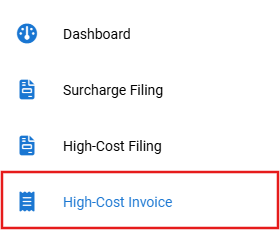
Select High-Cost Invoice from the navigation panel.
If you do not see any high-cost invoices listed on this page, then you may need to change the year in the top right corner of the High-Cost Invoice page.

-
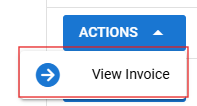
Select Actions to the left of the high-cost invoice you would like to view.
High-Cost Invoices
-
Select View Invoice from the drop-down menu. The invoice is displayed with the following:
-
Reported Year
-
Filing Period
-
Invoice Type
-
Amount
-
Remaining Amount
-
Invoice Date
-
Due Date
-
Status
-
NetSuite Invoice Number
-
Terms
-
Memo
-
Payments